Image Optimization: Unpic (Frontend), Sharp (Backend)
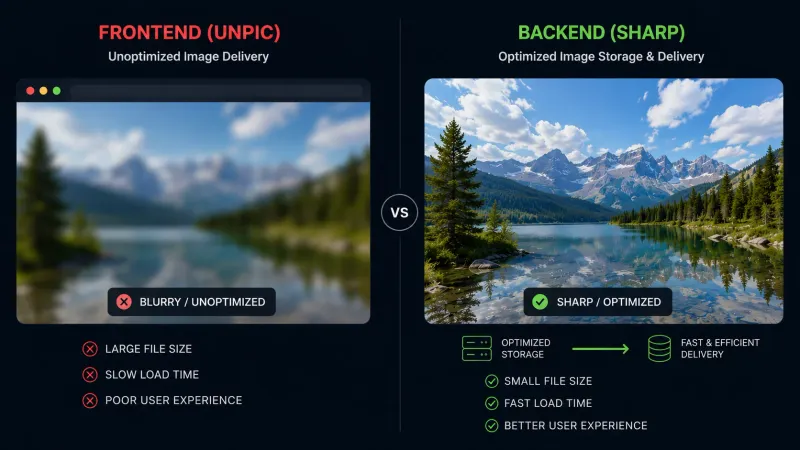
Portfolio pages ship photos from public/ and URLs stored in PostgreSQL. A 400×400 profile JPEG can still cost hundreds of kilobytes on a phone if you serve the original file at every breakpoint. We fixed that with a small pipeline: unpic generates correct src / srcset markup on the frontend, and sharp transforms bytes on the backend.
This post walks through both sides — why the split exists, how the route works, and how the Image atom stays thin.
Vocabulary
| Term | Meaning |
|---|---|
| unpic | Library that knows Cloudinary, Imgix, Bunny, etc. URL formats and builds responsive image props |
| Transformer | Function unpic calls to turn (src, width, height, format) into a final URL |
| sharp | Node.js image processor (resize, WebP/AVIF encode) used in our API route |
| srcset | Multiple url 400w entries so the browser picks an appropriate file size |
| Allowlist | Env list of hostnames we may proxy for remote images — blocks open-proxy abuse |
Part 1 — Backend: the /api/images route
Step 1 — Register a server GET handler
TanStack Router file routes can expose raw HTTP handlers (same pattern as sitemap.xml):
All transformation logic lives in *.server.ts so it never bundles to the browser.
Step 2 — Query parameters
| Param | Purpose | Default |
|---|---|---|
url |
Source path (/images/…) or absolute HTTPS URL |
required |
w |
Target width (px) | optional |
h |
Target height (px) | optional |
f |
Output format: webp or avif |
webp |
q |
Quality 1–100 | 80 |
Example:
Step 3 — Load source bytes safely
Local files must live under public/. We resolve the path and reject .. traversal:
Remote URLs only work when the hostname is in ALLOWED_IMAGE_DOMAINS (comma-separated in .env.local). Empty allowlist means local only — no accidental open proxy.
Validated via the same Zod EnvironmentSchema as DATABASE_URL and other server secrets.
Step 4 — Transform with sharp
withoutEnlargement: true avoids upscaling small assets. Production responses are long-cached; replace a file under the same path and browsers may keep the old derivative until cache expires (hard refresh or bump w in dev).
Step 5 — Install sharp in Docker dev
The dev stack uses an isolated node_modules volume. After adding sharp to package.json, restart compose so yarn install runs inside the container:
Part 2 — Frontend: unpic and the Image atom
Step 1 — Why not only @unpic/react?
@unpic/react auto-detects major CDNs. For /images/portfolio/profile.jpg there is no provider — unpic would render a plain <img> with no srcset and no modern format. We need a custom transformer pointing at our API.
Step 2 — Transformer factory
Use createPortfolioImageTransformer('https://your-origin.com/api/images') if SSR ever needs absolute URLs.
Step 3 — CDN vs transformer render path
getImageRenderConfig normalizes src once, then decides:
- transformer mode →
@unpic/react/baseImage(required when supplying a custom transformer). - cdn mode →
@unpic/reactImage(native Cloudinary / Imgix behavior).
A custom transformer prop always wins, even on CDN URLs — useful for overrides, but it disables auto-detection (dev warns once per URL).
Step 4 — Keep Image.tsx presentational
Call sites stay unchanged:
unpic emits srcset with several widths; each entry hits /api/images with a different w.
Part 3 — Testing and operations
Server tests mock sharp, fs, and env. They run under the node Vitest environment (not jsdom):
After adding the post to seeds, load it with:
Common pitfalls
- Stale image after replacing a file —
immutablecache on/api/imagesURLs. Hard-refresh or change query params while developing. - sharp missing in Docker — restart the stack after
yarn add sharpso the container reinstalls deps. - Remote images 403 — hostname not in
ALLOWED_IMAGE_DOMAINS. - Double normalization — pass already-normalized
srcintoresolveImageTransformer; normalize once ingetImageRenderConfig. - Skipping the atom — importing
@unpic/reactdirectly in feature code bypasses the default transformer.
Verify it works
- Open DevTools → Network, filter Img.
- Confirm requests go to
/api/images?url=…&w=…&f=webp. - Check response
content-type: image/webpand smaller size than the original JPEG. - Hit
/images/portfolio/profile.jpgdirectly — should still serve the raw file (no transform). - Run
yarn vitest run --project=unit src/lib/images.server.test.ts.
When to use a hosted CDN instead
Self-hosted sharp is ideal for dev and modest traffic. At scale, consider Cloudflare Images, Bunny Optimizer, or Cloudinary — unpic already detects them, and you can drop the custom transformer for those URLs. Hybrid setups work: CDN for marketing assets, /api/images for uploads and public/ files.
Takeaway
unpic owns responsive markup; sharp owns bytes. Split server logic into images.server.ts, expose one GET route, and centralize transformer + CDN detection in the Image atom's utils.ts. You get WebP, width-aware srcset, and path-safe local serving without pulling every page image through a third-party bill.